Stream Check

Speed and Wi-Fi test for Fire TV

Can this TV stream in 4K?

One check of about 15 seconds measures delay, download and upload, then tells you in plain words what this TV can play, why it's slow, and what to try next.

Coming soon to Fire TV

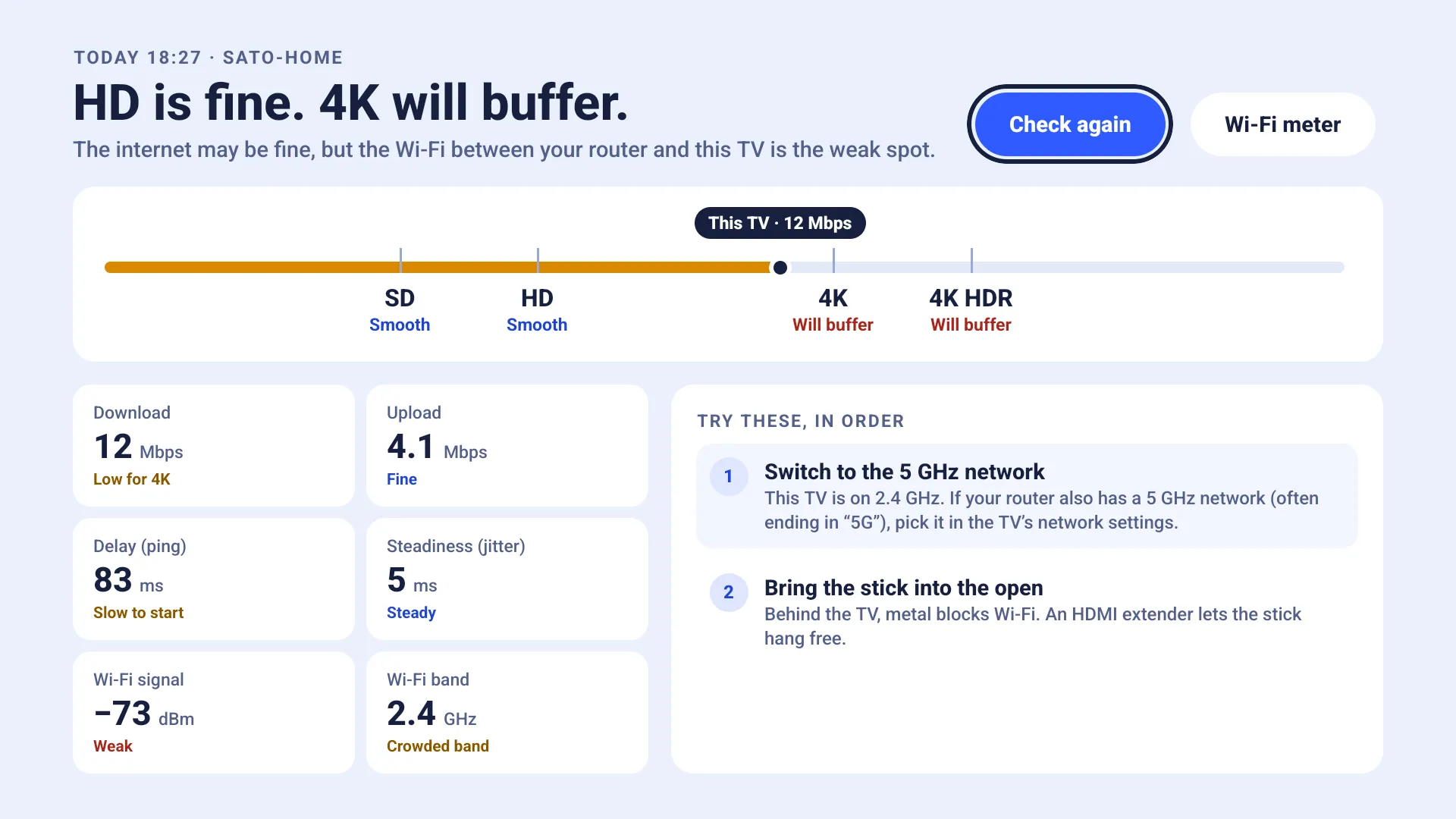
Result screen: “HD is fine. 4K will buffer.” SD and HD are marked Smooth, 4K and 4K HDR Will buffer, with download, upload, delay, Wi-Fi signal and band, and two tips to try in order

One check, one answer

SD, HD, 4K and 4K HDR each get a verdict. It's judged on steady speed, not a lucky peak, so it matches what you see when streaming.

Smooth
Plays at this quality without stopping.
Drops quality
Plays, but the streaming app will lower the picture quality now and then.
Will buffer
Too slow for this quality. Expect pauses while it loads.

It also tells you why

  • Slow internet, or weak Wi-Fi between the router and this TV
  • On the crowded 2.4 GHz band
  • Weak Wi-Fi signal
  • Many resent packets
  • Unsteady speed
  • Then the next things to try, in order: switch to 5 GHz, bring the stick into the open, use a wired connection, restart the router
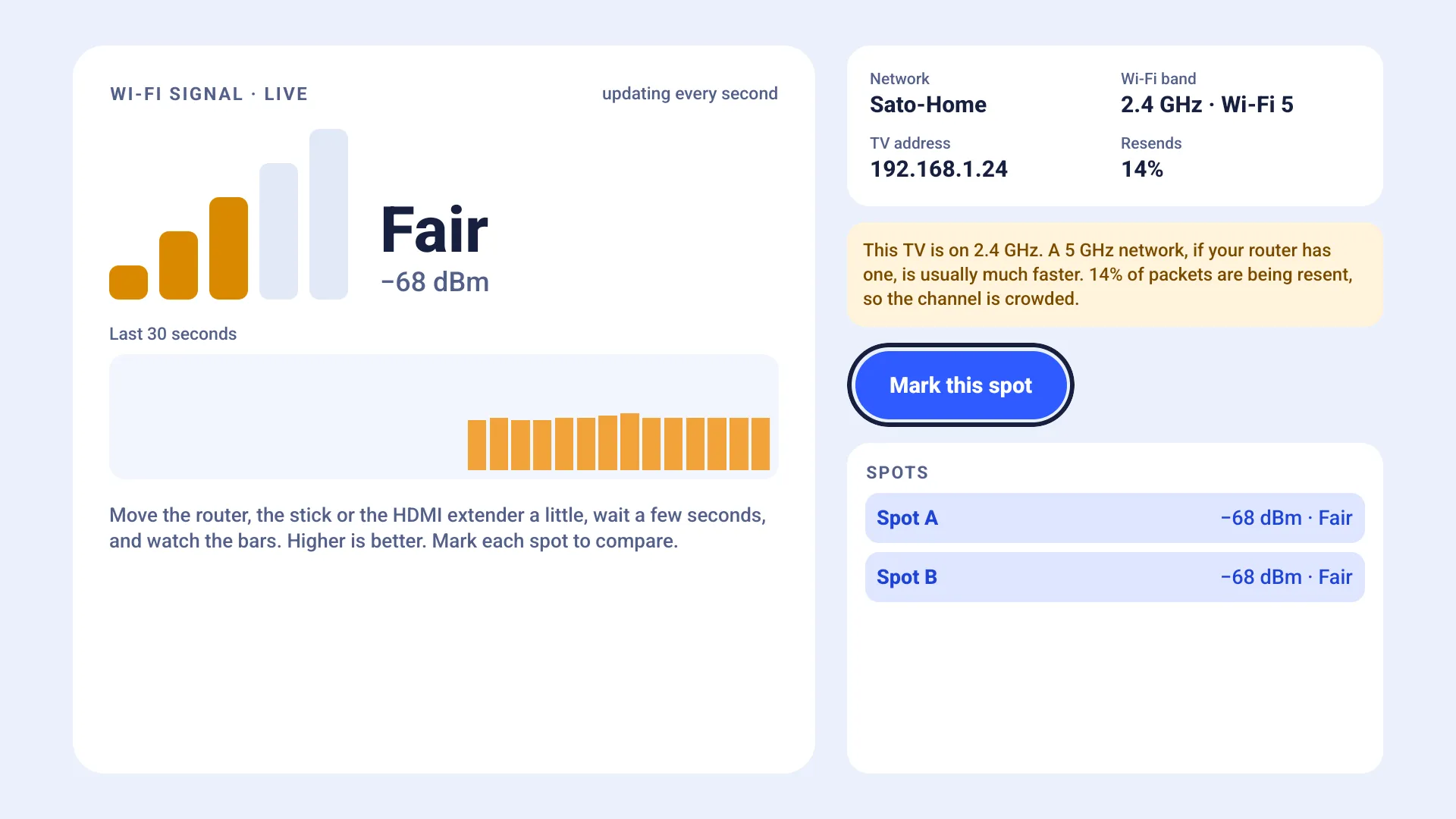
Wi-Fi signal meter: a Fair signal at −68 dBm, the last 30 seconds as a chart, the network, band and TV address, and two marked spots

Find the best spot for Wi-Fi

The Wi-Fi meter shows signal strength live, updated every second, with the last 30 seconds as a chart. Network, band, Wi-Fi generation and TV address are on the same screen.

  1. Move a little

    Move the router, the stick or the HDMI extender a little, wait a few seconds, and watch the bars. Higher is better.

  2. Mark this spot

    Press OK on Mark this spot to save the signal there as Spot A, Spot B and so on.

  3. Compare

    Try a few positions and keep the one with the strongest signal.

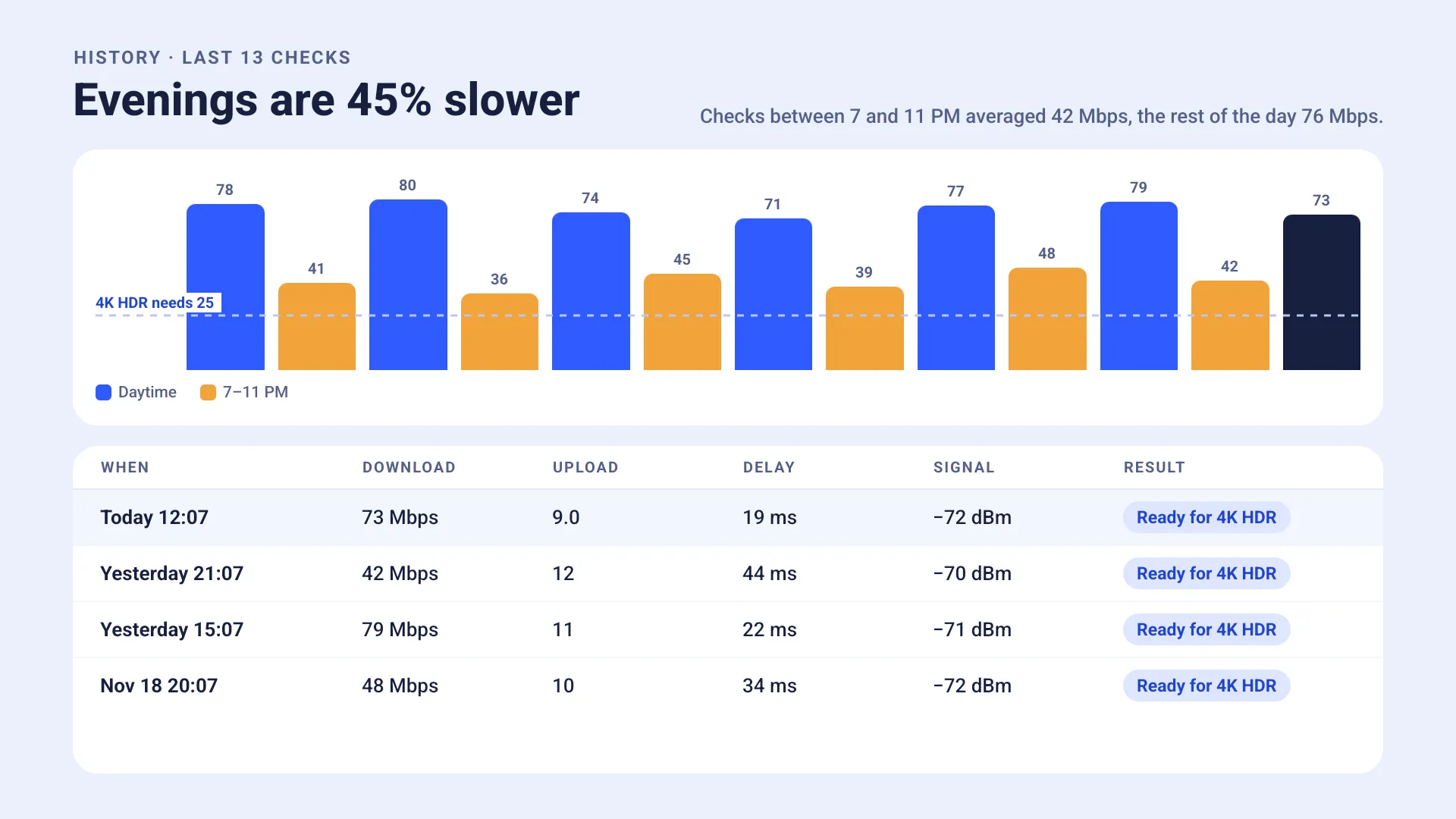
History of the last 14 checks: “Evenings are 39% slower”, with a chart of daytime and 7–11 PM checks and a table of recent results

History

Every check is saved on this TV. Run checks at different times of day and History shows patterns, such as slower evenings when the neighbours stream too.

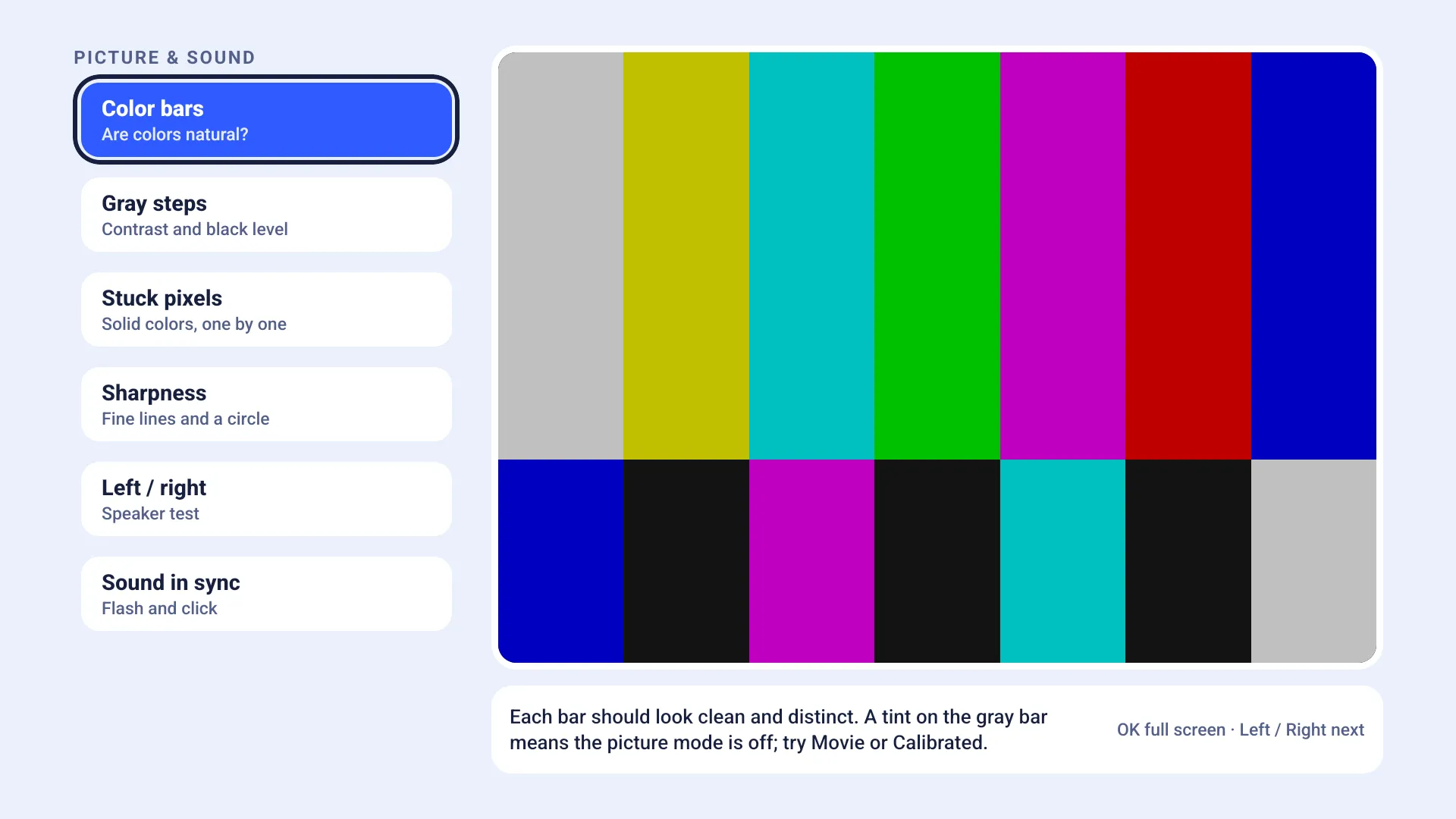
Picture & sound: color bars on screen, with Gray steps, Stuck pixels, Sharpness, Left / right and Sound in sync in the list

Picture & sound

Six tests for the TV itself: Color bars, Gray steps, Stuck pixels, Sharpness, a Left / right speaker test, and Sound in sync with a flash and a click.

Good to know

Steady speed, not a peak
A stream needs speed that holds. The verdict uses steady speed, so it can read lower than other speed tests.
Our own test server
Checks run against our test server. Nothing about you or your network is stored there.
Wi-Fi or wired
Checks work on Wi-Fi and on a wired connection. The Wi-Fi meter needs Wi-Fi.
Fire OS and Vega OS
Made for Fire TV devices, on both Fire OS and Vega OS.
Easy to read
Large type you can read from the couch.
Nine languages
English, Japanese, Chinese (Simplified and Traditional), German, French, Spanish, Portuguese and Italian.

Made for the remote

Everything works with the arrows and OK. No pointer and no typing.

Arrows
Move between buttons, tests and screens
OK
Start a check, choose, mark a spot
Back
Go back, or stop a check

Know before the show buffers

Stream Check is a one-time purchase of $2.99. Every check, the Wi-Fi meter, History and all six picture & sound tests are included.

Coming soon to Fire TV